Instantly video call website visitors
Add a video call button to your site. Visitors click. You’re talking in a second.
Nothing to download.
14-day free trial · No credit card required
-
Step 1
Add the button
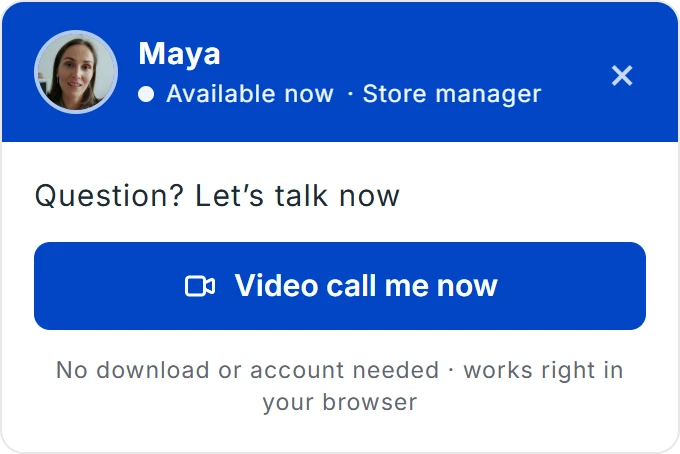
Paste one line of code on Shopify, WordPress or any site.
-
Step 2
A visitor calls
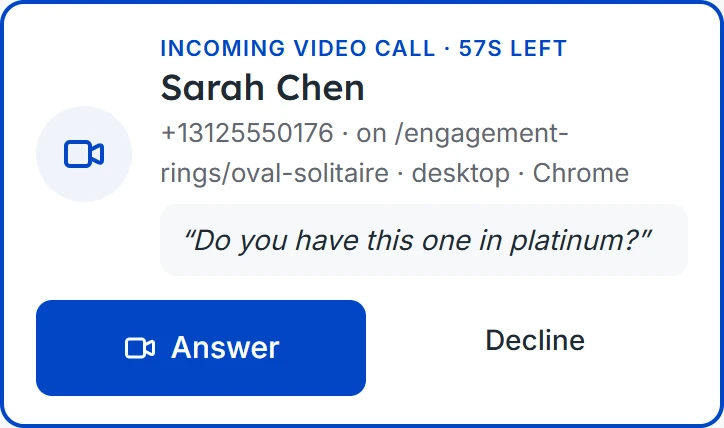
They click, type their name, and your whole team rings.
-
Step 3
You pick up
Maya
Answer on your laptop or phone and talk face to face.

Works on the website you already have
- Shopify
- WordPress
- Squarespace
- Webflow
- Framer
- HTML
Everything your team needs
A call button for your site, video in the browser, and one dashboard for every call, with optional recording, transcripts and AI summaries.
Video callsFace to face, right in the browser
One click on your website and you’re talking. Nothing to download for your visitor or your team, on a computer or a phone. The call can fill the screen or sit in a corner while they keep browsing.

 Daniel

Recording & AI summariesEvery call, written up for you
Turn on recording and each call comes with the video, a full transcript and a short AI summary, ready to copy into your CRM. It’s optional, on the Business plan, and by default visitors are told before the call.

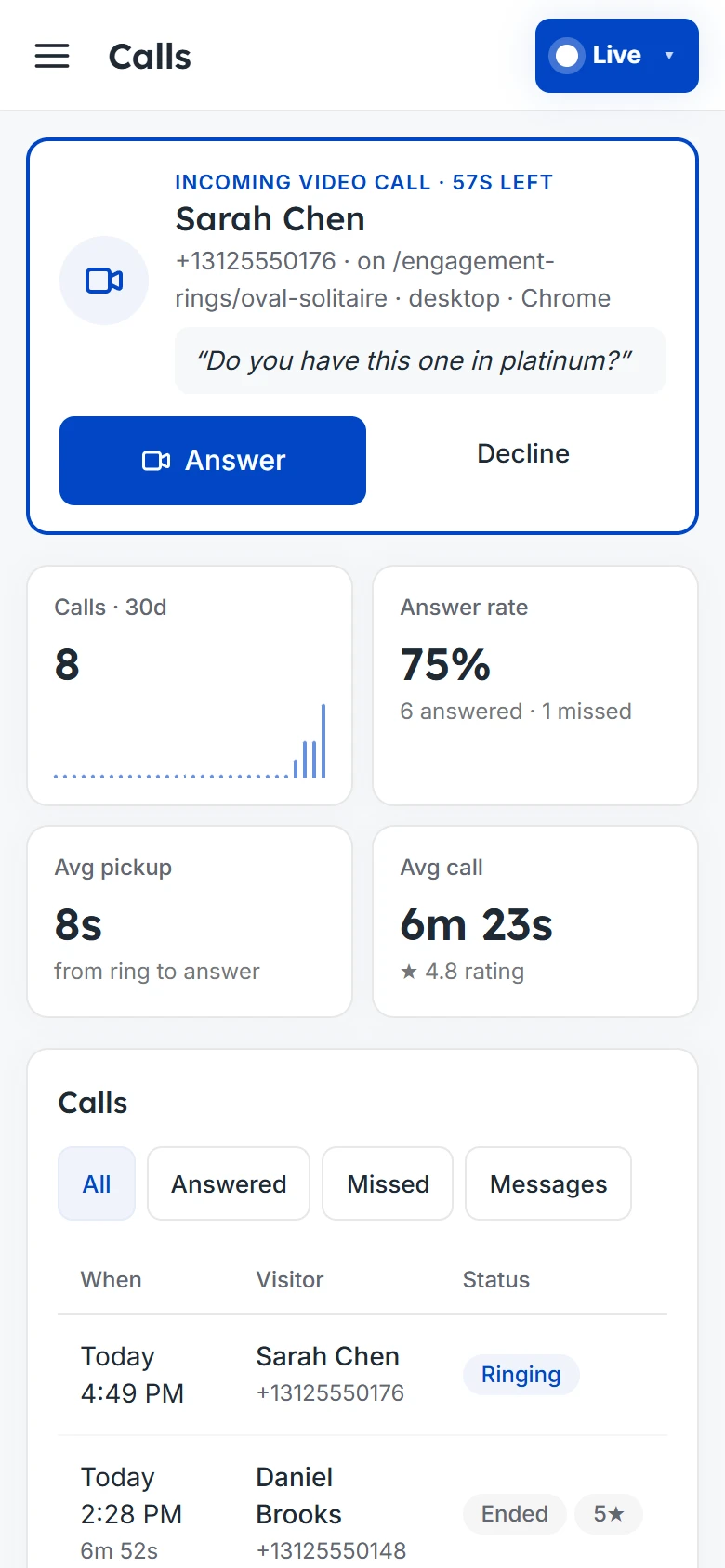
Calls dashboardEvery call, from first ring to follow-up
See who’s calling and which page they’re on before you pick up. Answer from your laptop or phone, then keep track of the outcome, rating and follow-up of every call.
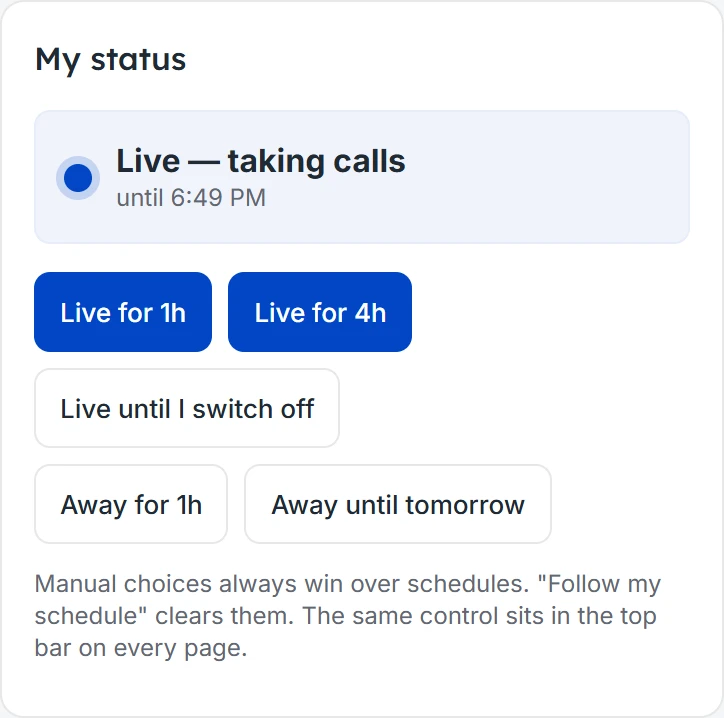
AvailabilityLive when you are, away when you’re not
Go live for an hour, until you switch off, or on a weekly schedule for you or your whole team. When nobody’s free, visitors book a time or leave a message instead.

One button. Every kind of customer conversation.
- See who’s calling: their name, the page they’re on and their question, before you pick up.
- Log every outcome: mark each call as booked, completed or needing a follow-up.
- Never lose a lead: missed callers can ask for a callback or book a time.
- Record and summarize: turn on recording to get a transcript and an AI summary of every call.

- Ring the whole team: everyone who’s live hears the call, and the first to answer takes it.
- Video or audio: visitors choose what they’re comfortable with.
- Know how it went: visitors rate each call, and you see it in your dashboard.

 Maya · Store manager

- Show it up close: walk shoppers through a product on camera, like at your counter.
- Your words, your look: set the greeting, button text and color to match your brand.
- Works with your store: Shopify, WordPress, Wix, Squarespace and more.

- Set your hours: go live on a schedule, or whenever you’re free.
- Book when you’re away: visitors get your booking link instead of a dead end.
- Private by default: calls are only recorded if you turn recording on, and by default visitors are told first.

Plans and pricing
Start with 14 days of Pro, free. No credit card required. Pay yearly and get 2 months free.
Free
For trying LiveCall on your site.
$0
Start free- 1 person answering
- 30 calls a month
- Email alerts
- Booking link when you’re away
Pro
For small teams.
$29$290per monthper year
Start free trial- 5 people answering, more at $10 a month$100 a year each
- Unlimited calls
- Slack, Discord, Telegram and text alerts
- No LiveCall badge
Business
For growing teams.
$79$790per monthper year
Start free trial- 25 people answering, more at $10 a month$100 a year each
- Everything in Pro
- Call recording, transcripts and AI summaries
- 100 recorded minutes a month, then $0.05 a minute
- Recordings kept 30 days, or up to 180 days from 2¢ a minute
- Priority support
Frequently asked questions
Do visitors need to install anything?
No. Calls open in the browser on any phone or computer.
How do I add LiveCall to my website?
Paste one line of code into your site, or send it to whoever manages it. It works with Shopify, WordPress, Wix, Squarespace, Webflow and plain HTML.
What happens when nobody is available?
Visitors can book a time with your booking link or leave a message, and you get their details. You can also hide the button while you’re away.
Can my whole team answer calls?
Yes. Everyone who is live gets the call on their laptop or phone, and the first person to answer takes it.
Are calls recorded?
Only if you turn it on. On the Business plan, calls can be recorded with a transcript and an AI summary of each one. By default visitors are told before the call, the call window shows when it is being recorded, and recordings are kept 30 days, or up to 180 days for a small charge per minute.
What happens after the free trial?
You move to the Free plan unless you upgrade. Nothing is charged automatically.